<!DOCTYPE html>
    <html lang="vi" xmlns="http://www.w3.org/1999/xhtml" prefix="og: http://ogp.me/ns#">
    <head>
<title>Siemens ra mắt TIA V14</title>
<meta name="description" content="Siemens ra mắt TIA V14 - Savefile - Tin Tức - https&#x3A;&#x002F;&#x002F;giahungtech.com&#x002F;news&#x002F;savefile&#x002F;tin-tuc&#x002F;siemens-ra-mat-tia-v14-13.html">
<meta name="author" content="CÔNG TY TNHH TỰ ĐỘNG HÓA GIA HƯNG TECH">
<meta name="copyright" content="CÔNG TY TNHH TỰ ĐỘNG HÓA GIA HƯNG TECH [mr.anhlv@gmail.com]">
<meta name="google-site-verification" content="gDGgLc4qBYy9_5H9NUfAy0BSdCWhxCiMIackhCSr2vg">
<meta name="msvalidate.01" content="171F162059CAB2E1BD9C86B5970FBF31">
<meta name="robots" content="index, archive, follow, noodp">
<meta name="googlebot" content="index, archive, follow, noodp">
<meta name="msnbot" content="index, archive, follow, noodp">
<meta name="coccocbot-web" content="index, archive, follow, noodp">
<meta name="generator" content="TMS v4.5">
<meta name="viewport" content="width=device-width, initial-scale=1">
<meta http-equiv="Content-Type" content="text/html; charset=utf-8">
<meta property="og:title" content="Siemens ra mắt TIA V14">
<meta property="og:type" content="website">
<meta property="og:description" content="Savefile - Tin Tức - https&#x3A;&#x002F;&#x002F;giahungtech.com&#x002F;news&#x002F;savefile&#x002F;tin-tuc&#x002F;siemens-ra-mat-tia-v14-13.html">
<meta property="og:site_name" content="CÔNG TY TNHH TỰ ĐỘNG HÓA GIA HƯNG TECH">
<meta property="og:image" content="https://giahungtech.com/uploads/plcnext_starterkit3.jpg">
<meta property="og:image:url" content="https://giahungtech.com/uploads/plcnext_starterkit3.jpg">
<meta property="og:image:type" content="image/jpeg">
<meta property="og:image:width" content="1280">
<meta property="og:image:height" content="720">
<meta property="og:url" content="https://giahungtech.com/news/savefile/tin-tuc/siemens-ra-mat-tia-v14-13.html">
<link rel="shortcut icon" href="https://giahungtech.com/uploads/icon.ico">
<link rel="canonical" href="https://giahungtech.com/news/savefile/tin-tuc/siemens-ra-mat-tia-v14-13.html">
<link rel="alternate" href="https://giahungtech.com/news/rss/" title="Tin Tức" type="application/rss+xml">
<link rel="alternate" href="https://giahungtech.com/news/rss/dao-tao-ngan-han/" title="Tin Tức - Đào tạo ngắn hạn" type="application/rss+xml">
<link rel="alternate" href="https://giahungtech.com/news/rss/file-mau/" title="Tin Tức - File mẫu" type="application/rss+xml">
<link rel="alternate" href="https://giahungtech.com/news/rss/huong-dan/" title="Tin Tức - Hướng dẫn" type="application/rss+xml">
<link rel="alternate" href="https://giahungtech.com/news/rss/tin-tuc/" title="Tin Tức - Tin tức" type="application/rss+xml">
<link rel="preload" as="style" href="https://giahungtech.com/assets/css/font-awesome.min.css" type="text/css">
<link rel="preload" as="style" href="https://giahungtech.com/themes/default/css/bootstrap.min.css" type="text/css">
<link rel="preload" as="style" href="https://giahungtech.com/themes/default/css/style.css" type="text/css">
<link rel="preload" as="style" href="https://giahungtech.com/themes/default/css/style.responsive.css" type="text/css">
<link rel="preload" as="style" href="https://giahungtech.com/themes/default/css/news.css" type="text/css">
<link rel="preload" as="style" href="https://giahungtech.com/themes/default/css/custom.css" type="text/css">
<link rel="preload" as="style" href="https://giahungtech.com/themes/default/tms/css/swiper.css" type="text/css">
<link rel="preload" as="style" href="https://giahungtech.com/themes/default/css/tms_menu.css" type="text/css">
<link rel="preload" as="script" href="https://giahungtech.com/assets/js/jquery/jquery.min.js" type="text/javascript">
<link rel="preload" as="script" href="https://giahungtech.com/assets/js/language/vi.js" type="text/javascript">
<link rel="preload" as="script" href="https://giahungtech.com/assets/js/global.js" type="text/javascript">
<link rel="preload" as="script" href="https://giahungtech.com/themes/default/js/news.js" type="text/javascript">
<link rel="preload" as="script" href="https://giahungtech.com/themes/default/js/main.js" type="text/javascript">
<link rel="preload" as="script" href="https://giahungtech.com/themes/default/js/custom.js" type="text/javascript">
<link rel="preload" as="script" href="https://giahungtech.com/themes/default/tms/js/swiper.js" type="text/javascript">
<link rel="preload" as="script" href="https://giahungtech.com/themes/default/js/tms_menu.js" type="text/javascript">
<link rel="preload" as="script" href="https://www.googletagmanager.com/gtag/js?id=G-NTD0WQBV7B" type="text/javascript">
<link rel="preload" as="script" href="https://pagead2.googlesyndication.com/pagead/js/adsbygoogle.js?client=ca-pub-1900612952327782" type="text/javascript" crossorigin="anonymous">
<link rel="preload" as="script" href="https://giahungtech.com/themes/default/js/bootstrap.min.js" type="text/javascript">
<link rel="stylesheet" href="https://giahungtech.com/assets/css/font-awesome.min.css">
<link rel="stylesheet" href="https://giahungtech.com/themes/default/css/bootstrap.min.css">
<link rel="stylesheet" href="https://giahungtech.com/themes/default/css/style.css">
<link rel="stylesheet" href="https://giahungtech.com/themes/default/css/style.responsive.css">
<link rel="StyleSheet" href="https://giahungtech.com/themes/default/css/news.css">
<link rel="stylesheet" href="https://giahungtech.com/themes/default/css/custom.css">
<link rel="stylesheet" type="text/css" href="https://giahungtech.com/themes/default/tms/css/swiper.css">
<link id="theme" rel="stylesheet" type="text/css" media="all" href="https://giahungtech.com/themes/default/css/tms_menu.css" />
<style>
	body{background: #fff;}
</style>
<script data-show="inline">(function(i,s,o,g,r,a,m){i['GoogleAnalyticsObject']=r;i[r]=i[r]||function(){
(i[r].q=i[r].q||[]).push(arguments)},i[r].l=1*new Date();a=s.createElement(o),
m=s.getElementsByTagName(o)[0];a.async=1;a.src=g;m.parentNode.insertBefore(a,m)
})(window,document,'script','https://www.google-analytics.com/analytics.js','ga');
ga('create', 'UA-70168873-1', '.giahungtech.com');
ga('send', 'pageview');
</script>
</head>
    <body>
<amp-auto-ads type="adsense"
        data-ad-client="ca-pub-1900612952327782">
</amp-auto-ads>
<div id="run_cronjobs" style="visibility:hidden;display:none;"><img alt="cron" src="/index.php?second=cronjobs&amp;p=o8I1DoPR" width="1" height="1" /></div>
<script src="https://giahungtech.com/assets/js/jquery/jquery.min.js"></script>
<script>var nv_base_siteurl="/",nv_lang_data="vi",nv_lang_interface="vi",nv_name_variable="nv",nv_fc_variable="op",nv_lang_variable="language",nv_module_name="news",nv_func_name="savefile",nv_is_user=0, nv_my_ofs=-4,nv_my_abbr="EDT",nv_cookie_prefix="nv4",nv_check_pass_mstime=59878000,nv_area_admin=0,nv_safemode=0,theme_responsive=1,nv_recaptcha_ver=2,nv_recaptcha_sitekey="",nv_recaptcha_type="image";</script>
<script src="https://giahungtech.com/assets/js/language/vi.js"></script>
<script src="https://giahungtech.com/assets/js/global.js"></script>
<script src="https://giahungtech.com/themes/default/js/news.js"></script>
<script src="https://giahungtech.com/themes/default/js/main.js"></script>
<script src="https://giahungtech.com/themes/default/js/custom.js"></script>
<script type="text/javascript" src="https://giahungtech.com/themes/default/tms/js/swiper.js"></script>
<script type="text/javascript" src="https://giahungtech.com/themes/default/js/tms_menu.js"></script>
<script type="application/ld+json">
        {
            "@context": "https://schema.org",
            "@type": "Organization",
            "url": "https://giahungtech.com",
            "logo": "https://giahungtech.com/assets/images/logo.png"
        }
        </script>
<script async src="https://www.googletagmanager.com/gtag/js?id=G-NTD0WQBV7B"></script>
<script>window.dataLayer=window.dataLayer||[];function gtag(){dataLayer.push(arguments)}gtag('js',new Date);gtag('config','G-NTD0WQBV7B');</script>
<script async src="https://pagead2.googlesyndication.com/pagead/js/adsbygoogle.js?client=ca-pub-1900612952327782"
     crossorigin="anonymous"></script>
<script src="https://giahungtech.com/themes/default/js/bootstrap.min.js"></script>
</body>
<div id="print">
	<div id="hd_print">
		<h2 class="pull-left">CÔNG TY TNHH TỰ ĐỘNG HÓA GIA HƯNG TECH</h2>
		<p class="pull-right"><a title="CÔNG TY TNHH TỰ ĐỘNG HÓA GIA HƯNG TECH" href="https://giahungtech.com/">https://giahungtech.com</a></p>
	</div>
	<div class="clear"></div>
	<hr />
	<div id="content">
		<h1>Siemens ra mắt TIA V14</h1>
		<ul class="list-inline">
			<li>Thứ sáu - 17/09/2021 13:09</li>
			<li class="hidden-print txtrequired"><em class="fa fa-print">&nbsp;</em><a title="In ra" href="javascript:;" onclick="window.print()">In ra</a></li>
			<li class="hidden-print txtrequired"><em class="fa fa-power-off">&nbsp;</em><a title="Đóng cửa sổ này" href="javascript:;" onclick="window.close()">Đóng cửa sổ này</a></li>
		</ul>
		<div class="clear"></div>
		<div id="hometext">
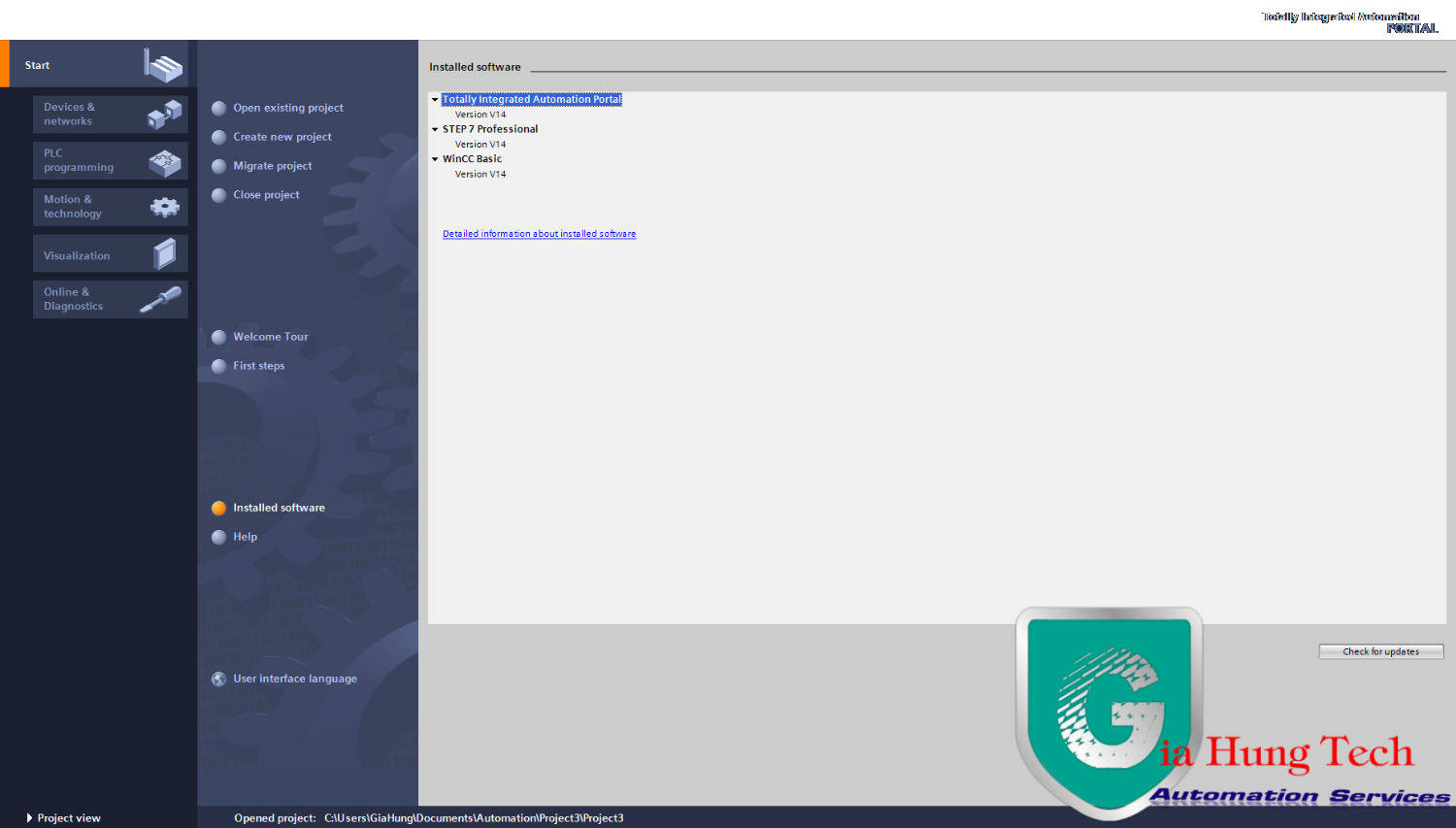
			SIMATIC STEP 7 Professional / Basic V14<br /><br />The innovative control programming for scalable solutions in the TIA Portal.<br /><br />SIMATIC STEP 7 V14 Professional / Basic offers impressive, innovative engineering functions for flexible and fast implementation of control tasks.<br /><br />The expansion of S7-1500 controllers with the T-CPU family (Technology) and CPU 1518(F)-4 PN/DP ODK, for combining C/C++ code with the STEP 7 languages, for example, as well as significant performance improvements in the engineering software round off version 14.
		</div>
				<div class="imghome">
			<img alt="Siemens ra mắt TIA V14" src="https://giahungtech.com/uploads/news/2016_10/zalo_screenshot_3_10_2016_1059231.png" width="460" class="img-thumbnail" />
		</div>
		<div class="clear"></div>
		<div id="bodytext" class="clearfix">
			You can find the latest news on additional TIA Portal products at the following site:&nbsp;<a href="http://plcprovn.com/redirect/?to=aHR0cHM6Ly9zdXBwb3J0LmluZHVzdHJ5LnNpZW1lbnMuY29tL2NzL2RvY3VtZW50LzEwOTczOTQ3MS9kZWxpdmVyeS1yZWxlYXNlLW9mLXRpYS1wb3J0YWwtdjE0P2xjPWVuLXVz" target="_blank">109739471</a><br />
<br />
Highlights SIMATIC STEP 7 V14<br />
STEP 7 V14 includes new functions for all phases of the engineering workflow. An overview of the new functions is available here:&nbsp;<a href="http://plcprovn.com/redirect/?to=aHR0cHM6Ly9zdXBwb3J0LmluZHVzdHJ5LnNpZW1lbnMuY29tL2NzL2F0dGFjaG1lbnRzLzEwOTc0MDM0MC9TVEVQXzdfVjE0X25ld19mdW5jdGlvbnMucGRm" target="_blank"><img alt="&#91;​IMG&#93;" data-url="https://support.industry.siemens.com/cs/web-res/css/file_pdf.gif" src="https://support.industry.siemens.com/cs/web-res/css/file_pdf.gif" />&nbsp;<img alt="&#91;​IMG&#93;" data-url="https://support.industry.siemens.com/cs/web-res/css/key.gif" src="https://support.industry.siemens.com/cs/web-res/css/key.gif" />&nbsp;STEP_7_V14_new_functions.pdf (4,1 MB)</a><br />
<br />
Hardware configuration
<ul>
	<li>Support for the S7-1500 T-CPU series with the Motion Control functions &quot;Absolute synchronous operation&quot; and &quot;Camming&quot;.</li>
	<li>Support for new CPU 1518(F)-4 PN/DP ODK (Open Development Kit), which enables you to connect to the user program via C/C++ functions created in SIMATIC ODK 1500S<a href="http://plcprovn.com/redirect/?to=aHR0cHM6Ly9zdXBwb3J0LmluZHVzdHJ5LnNpZW1lbnMuY29tL2NzLyU3QnBsYWNlaG9sZGVyTGluazoxMDk3NDEyMDElN0Q%3D" target="_blank">109741201</a></li>
	<li>Support for CPU 1516pro (F)-2 PN<a href="http://plcprovn.com/redirect/?to=aHR0cHM6Ly9zdXBwb3J0LmluZHVzdHJ5LnNpZW1lbnMuY29tL2NzLyU3QnBsYWNlaG9sZGVyTGluazoxMDk3MzkyMzUlN0Q%3D" target="_blank">109739235</a><br />
	&nbsp;</li>
	<li>Support of the new S7-1500 Fail-safe Software Controller&nbsp;<a href="http://plcprovn.com/redirect/?to=aHR0cHM6Ly9zdXBwb3J0LmluZHVzdHJ5LnNpZW1lbnMuY29tL2NzLyU3QnBsYWNlaG9sZGVyTGluazoxMDk0ODM3NTclN0Q%3D" target="_blank">109483757</a>&nbsp;<br />
	&nbsp;</li>
	<li>Support of the new Fail-safe CPU 1212 FC&nbsp;<a href="http://plcprovn.com/redirect/?to=aHR0cHM6Ly9zdXBwb3J0LmluZHVzdHJ5LnNpZW1lbnMuY29tL2NzLyU3QnBsYWNlaG9sZGVyTGluazoxMDk3MzkyMzIlN0Q%3D" target="_blank">109739232</a><br />
	&nbsp;</li>
	<li>Grouping IO devices / other devices in the project tree enables you to quickly find and technologically merge devices.</li>
</ul>

<ul>
	<li>The arrangement of the devices in the topological view can now be synchronized with the network view.</li>
</ul>

<ul>
	<li>Custom profiles in the hardware catalog can now be defined for quick and easy access to frequently used modules.</li>
</ul>
Editors for programming languages

<ul>
	<li>Separate editors are available for the new technology objects, cams, cam tracks and measuring inputs. There is also a convenient cam editor for S7-1500T controllers.</li>
	<li>SCL networks can now be inserted in a LAD/FBD block.</li>
	<li>&quot;Regions&quot; can be used to improve the structure and navigation in SCL code.</li>
	<li>Block parameters can be hidden when the block is called in LAD or FBD.</li>
	<li>The comparison of PLC programs was fundamentally revised and enables fast and convenient source code comparison with numerous filter options.</li>
	<li>Networks are automatically displayed in the editors for LAD/FBD/STL as they appeared the last time the block closed.</li>
</ul>
Language innovations

<ul>
	<li>You can transfer ARRAYs of variable lengths as block parameters using ARRAY</li>
	<li>In the block interface, multiple instances can be declared in ARRAYs and invoked in loops. This results in a substantial reduction of the code, better readability and<br />
	<br />
	more efficient programming during the execution of identical program objects.<br />
	&nbsp;</li>
	<li>The DB_ANY data type can also be used for technology objects. This enables more flexible handling oftechnology objects in the program. An &quot;Array of DB_ANY&quot;, for example, can show<br />
	<br />
	a list of positioning axes.<br />
	&nbsp;</li>
	<li>Instances can be passed as a parameter in the InOut interface,<br />
	<br />
	so that only a dedicated instance must be selected for the call.<br />
	&nbsp;</li>
	<li>Alarm texts and comments for up to 3 languages can be downloaded to the S7-1500 PLC and changed<br />
	<br />
	online.</li>
</ul>
Messages / Diagnostics

<ul>
	<li><b>Using the new &quot;Get_Alarm&quot; instruction, alarms can be directly read from the alarm server of the S7-1500 CPU and, for example, sent to a higher-level alarm system (e.g. control system).</b></li>
	<li><b>For the instruction &quot;GET_DIAG&quot;, the diagnostics data in the DIS structure are output in mode 1.Bit 15 of the IOState parameter of this structure returns the signal state &quot;1&quot; when a network/hardware error occurs.</b></li>
</ul>
<b><b>Trace</b></b>

<ul>
	<li><b>The trace function makes it possible to display different measurements in a common chart<br />
	(&quot;superimposed measurements&quot;).</b></li>
	<li><b>Once the trace is completed, measurements can also be retentively stored on the memory card</b><br />
	<br />
	<b>and automatically restarted if required.</b></li>
</ul>
<b>Online functions</b><br />
&nbsp;
<ul>
	<li>
	<ul>
		<li><b>Restructuring of the toolbar in the DB editor and the possibility to re-initialize complete DBs with defined starting values.</b></li>
	</ul>

	<ul>
		<li><b>Structured tags in the block can be monitored in their call environment directly in the Inspector window.</b></li>
	</ul>
	</li>
</ul>
<b>System functions</b>

<ul>
	<li>
	<ul>
		<li><b>The new global search allows project-spanning searching for PLC and HMI objects.The search results can also be restricted by filters. A &quot;GoTo&quot; function is also available.</b></li>
	</ul>

	<ul>
		<li><b>TIA Portal settings can be exported or imported and stored on a central server. For example, if a server path is available, the stored settings are automatically applied as &quot;defaults&quot; each time the TIA Portal starts. Innovated help/information system with tab technology, improved search function and the option to filter information by device series.</b></li>
	</ul>

	<ul>
		<li><b>Innovated help/information system with tab technology, improved search function and the<br />
		<br />
		option to filter information by device series.</b></li>
	</ul>

	<ul>
		<li><b>The new cross-reference list provides a quick overview of how objects and devices are used within the project.</b>

		<ul>
			<li><b>Support for overlapping access (PLC tags)</b></li>
			<li><b>Support of know-how protected blocks</b></li>
			<li><b>Access to individual elements of an ARRAY</b></li>
			<li><b>Representation of objects found in both HMI and PLC devices</b></li>
			<li><b>Free input in search for objects in the cross-reference list</b></li>
			<li><b>Various filter options</b></li>
		</ul>
		</li>
	</ul>

	<ul>
		<li><b>Updates can be made available in corporate networks conveniently and centrally.<br />
		Proprietary servers can be configured with the TIA Automation Corporate Configuration Tool. The available updates/support packages are stored on the server and thus made available to users.</b></li>
	</ul>
	</li>
</ul>
<b>TIA Portal Openness</b><br />
<b>You can use the API interface of WinCC and STEP 7 in the TIA Portal to integrate the TIA Portal in your development environment and automate your engineering tasks. Write your own applications with external development environments, for example, a code generator for HMI screens and PLC blocks. These functions are activated by installing the &quot;TIA Portal Openness&quot; add-on package. It is available on the product DVD in the folder Support/Siemens_TIA_Openness_V14.exe</b><br />
<br />
<b>S7-PLCSIM</b>

<ul>
	<li><b>Fast start of S7-PLCSIM in compact mode and without a simulation project.</b></li>
	<li><b>Devices can be exchanged in the simulation project, so that existing SIM tables and sequence entries can continue to be used easily.</b></li>
	<li><b>Recordings of CPU traces can be imported as sequences.</b></li>
	<li><b>Sequences can be started automatically based on a trigger condition.</b></li>
	<li><b>Sequences can be temporarily disabled.</b></li>
	<li><b>Distributed IO devices can be simulated in the device view.</b></li>
</ul>
<b>Motion control applications</b>

<ul>
	<li>
	<ul>
		<li><b>Pre-configured and integrated connection and configuration of the SINAMICS V90 PN drive to a Motion Control technology object of SIMATIC S7-1500.</b></li>
	</ul>

	<ul>
		<li><b>Automatic data synchronization between controller and drive.</b></li>
	</ul>
	</li>
</ul>
<br />
<b><b>SIMATIC STEP 7 V14 Product information&nbsp;</b></b><b>Editions</b>

<ul>
	<li>
	<ul>
		<li><b>SIMATIC STEP 7 Professional V14</b></li>
	</ul>
	</li>
</ul>
<b>is the high-performance, integrated engineering system for the latest SIMATIC controller S7-1500, S7-1200, S7-300, S7-400, WinAC and ET 200 CPU. S7-PLCSIM for simulation of the S7-1500, S7-1200 CPU as well as SIMATIC WinCC Basic for configuration of Basic Panels and SINAMICS Startdrive for configuration of drives are included in the product package.</b>

<ul>
	<li><b>SIMATIC STEP 7 Basic V14</b></li>
</ul>
<b>is the easy-to-use engineering system for the small, modular SIMATIC S7-1200 controller and the associated I/Os. It includes S7-PLCSIM for simulating the S7-1200 CPU and SIMATIC WinCC Basic for configuration of the SIMATIC Basic Panels.</b><br />
<b>System requirements</b><br />
<b>STEP 7 Professional / Basic V14 are released for use with the following operating systems (64-bit only):</b>

<ul>
	<li>
	<ul>
		<li><b>Microsoft Windows 7 Home Premium SP1 (STEP 7 Basic only)</b></li>
	</ul>

	<ul>
		<li><b>Microsoft Windows 7 Professional SP1</b></li>
	</ul>

	<ul>
		<li><b>Microsoft Windows 7 Enterprise SP1</b></li>
	</ul>

	<ul>
		<li><b>Microsoft Windows 7 Ultimate SP1</b></li>
	</ul>

	<ul>
		<li><b>Microsoft Windows 8.1 (STEP 7 Basic only)</b></li>
	</ul>

	<ul>
		<li><b>Microsoft Windows 8.1 Professional</b></li>
	</ul>

	<ul>
		<li><b>Microsoft Windows 8.1 Enterprise</b></li>
	</ul>

	<ul>
		<li><b>Microsoft Server 2008 R2 StdE SP1 (STEP 7 Professional only)</b></li>
	</ul>

	<ul>
		<li><b>Microsoft Server 2012 R2 StdE</b></li>
	</ul>
	</li>
</ul>
<b>Note: Operating system support of Windows 10 is scheduled for V14 Service Pack 1.</b><br />
<br />
<b>The following table shows the recommended hardware for operating STEP 7.</b><br />
<br />
<b><b>Hardware</b>&nbsp;<b>Recommendation</b>&nbsp;</b><br />
<b>Computer SIMATIC Field PG M5 Advanced or higher (or comparable PC)&nbsp;</b><br />
<b>Processor Intel® Core™ i5-6440EQ (up to 3.4 GHz)&nbsp;</b><br />
<b>RAM 16 GB or more (for large projects 32 GB)&nbsp;</b><br />
<b>Hard disk SSD with at least 50 GB of free space&nbsp;</b><br />
<b>Network 1 GB (for multi-user)&nbsp;</b><br />
<b>Screen 15.6&quot; full HD display (1920 x 1080 or larger)&nbsp;</b><br />
<b>Compatibility with other products</b><br />
<b><b>STEP 7 Professional / Basic V14 works together with WinCC, Startdrive and Scout TIA V14 in a single framework.</b></b><br />
<b><b>STEP 7 Professional / Basic V14 (including WinCC Basic V14) can be installed on a PC in parallel with other versions</b></b><br />
<b><b>of STEP 7 V11 up to V13 SP1, STEP 7 V5.5 SP4, STEP 7 Micro/WIN V4.0 SP9, WinCC flexible 2008 SP3 and WinCC (as of V7.2).</b></b><br />
<b><b>A project upgrade to TIA Portal V14 is performed exclusively on the basis of TIA Portal V13 SP1 projects (last update recommended). Compatibility mode is not supported.</b></b><br />
<b><b>Supported virtualization platforms</b></b><br />
<br />
​<b><b>VMware vSphere Hypervisor (ESXi) 5.5 as of Update 2</b></b>

<ul>
	<li>
	<ul>
		<li><b><b>VMware Workstation 11</b></b></li>
	</ul>

	<ul>
		<li><b><b>VMware Player Pro 7.0</b></b></li>
	</ul>

	<ul>
		<li><b><b>Microsoft Windows Server 2012 R2 Hyper-V</b></b></li>
	</ul>
	</li>
</ul>
<b><b>Supported operating systems for virtualization platforms as the host operating system</b></b>

<ul>
	<li>
	<ul>
		<li><b><b>Windows 7 Professional/Ultimate/Enterprise (64-bit)</b></b></li>
	</ul>

	<ul>
		<li><b><b>Windows Server 2008 R2 (64-bit)</b></b></li>
	</ul>
	</li>
</ul>
<b><b>Windows Server 2012 R2 (64-bit)</b></b>

<ul>
	<li><b><b>Windows 8.1 Professional/Enterprise (64-bit)</b></b></li>
</ul>
<b><b>The following virus scanners were tested with STEP 7 V14:</b></b>

<ul>
	<li><b><b>Symantec Endpoint Protection 12.1</b></b>

	<ul>
		<li><b><b>Trend Micro Office Scan Corporate Edition 11.0</b></b></li>
		<li><b><b>McAfee VirusScan Enterprise 8.8</b></b></li>
		<li><b><b>Kaspersky Anti-Virus 2016</b></b></li>
		<li><b><b>Windows Defender (as of Windows 8.1)</b></b></li>
		<li><b><b>Qihoo &quot;360 Safe Guard&quot; 9.7</b></b></li>
	</ul>
	</li>
</ul>
Link download tại:&nbsp;https://www.fshare.vn/folder/441H3PZMU6XY - Upload by Giahungtech.com<br />
Link Google&nbsp;https://drive.google.com/open?id=0B5xnNgk3GVvEU0l2RkxZQWV5WWM
		</div>
				<div id="author">
						<p>
				<strong>Tác giả:</strong>
				<a href="https://giahungtech.com/news/author/admin/">admin</a>
			</p>
		</div>
	</div>
	<div id="footer" class="clearfix">
		<div id="url">
			<strong>URL của bản tin này: </strong><a href="https://giahungtech.com/news/savefile/tin-tuc/siemens-ra-mat-tia-v14-13.html" title="Siemens ra mắt TIA V14">https://giahungtech.com/news/savefile/tin-tuc/siemens-ra-mat-tia-v14-13.html</a>

		</div>
		<div class="clear"></div>
		<div class="copyright">
			&copy; CÔNG TY TNHH TỰ ĐỘNG HÓA GIA HƯNG TECH
		</div>
		<div id="contact">
			<a href="mailto:mr.anhlv@gmail.com">mr.anhlv@gmail.com</a>
		</div>
	</div>
</div>

     <head>
      </head>     
        <div id="timeoutsess" class="chromeframe">
            Bạn đã không sử dụng Site, <a onclick="timeoutsesscancel();" href="https://giahungtech.com/#">Bấm vào đây để duy trì trạng thái đăng nhập</a>. Thời gian chờ: <span id="secField"> 60 </span> giây
        </div>
        <div id="openidResult" class="nv-alert" style="display:none"></div>
        <div id="openidBt" data-result="" data-redirect=""></div>
    </body>
</html>